
🎓 New Student Guide
Get Started with IMCO IT
Everything you need in your first week — your account, campus computers, Wi-Fi, Microsoft 365, and the portals you'll use every day. Pick a topic below.
دليل سريع · Quick Guide (Arabic)
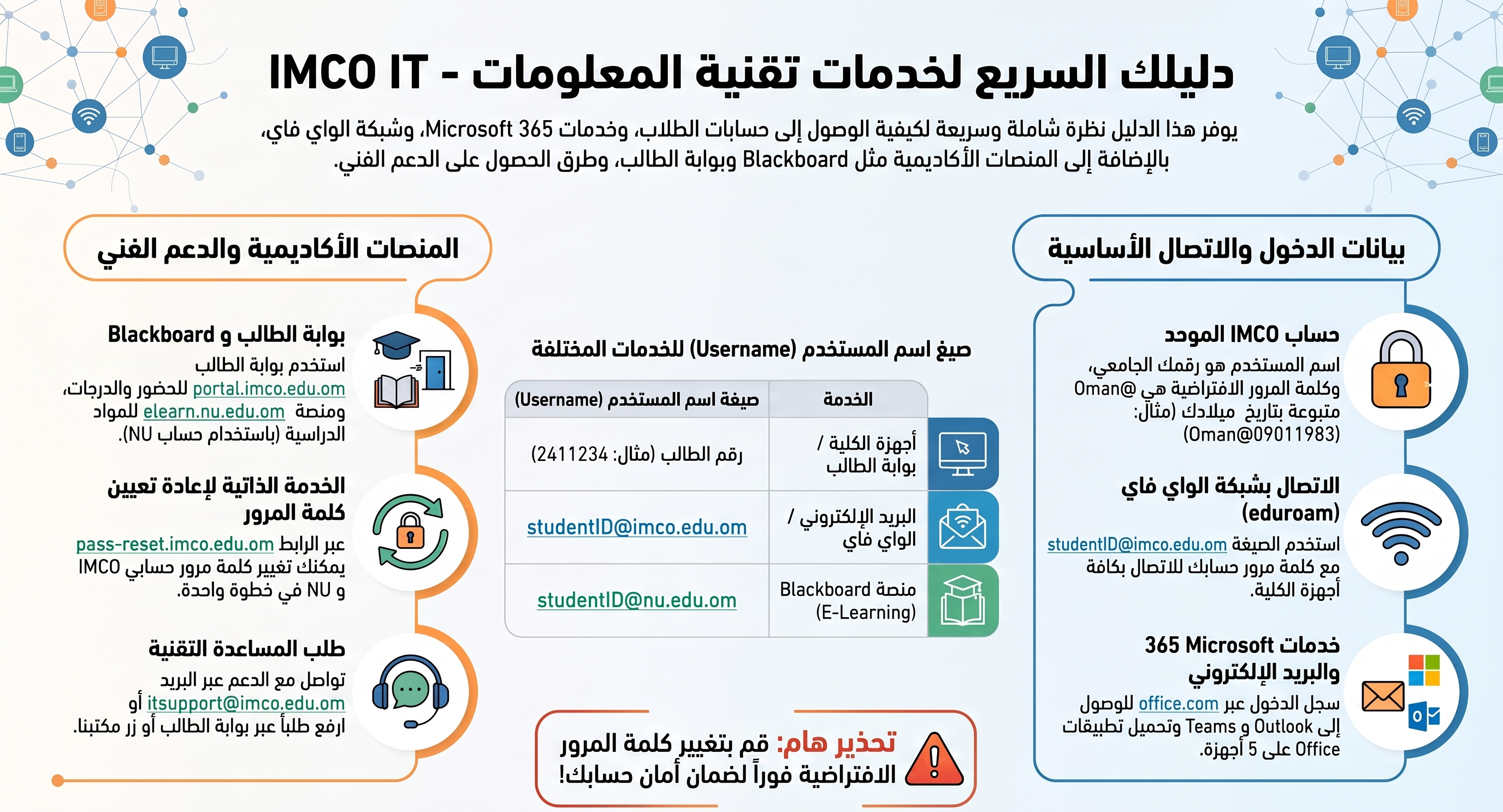
Start Here
Your IMCO Account
Your username, your first password, and everything one login unlocks.
Log in to a Campus Computer
Signing in for the first time in a lab or the library, and changing your password.
Reset a Forgotten Password
Self-service reset for your IMCO account using your student details.
Connect & Sign In
Connect to Wi-Fi
Set up the eduroam network on your phone and laptop.
Microsoft 365 & Email
Your student mailbox, Word/Excel/PowerPoint online, and free installs.
Verify Your Microsoft Account
Set up phone verification (text or call) so you can sign in securely.
Portals You'll Use